
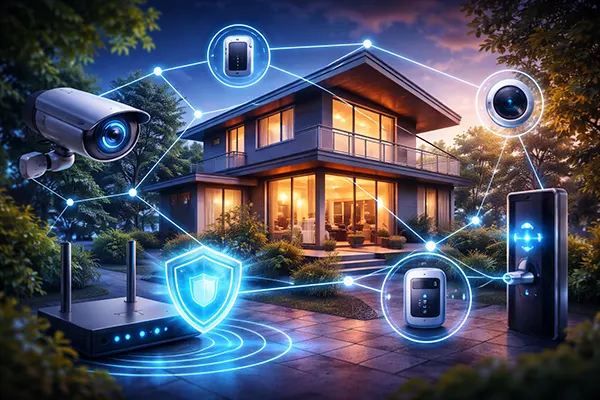
IoT Device Security in 2026: Common Attack Vectors and a Practical Baseline for Smart Homes
Smart home devices have become normal household infrastructure by 2026: routers, cameras, smart locks, speakers, thermostats, lighting, hubs, and voice assistants often share the same network and talk to the same cloud services. That convenience also creates a bigger attack surface than most people realise. The good news is that you do not need enterprise-grade tools to reduce risk dramatically. You need to understand how attacks typically happen, then apply a small set of controls consistently.
Where Smart Home Attacks Usually Start
The most common starting point is still weak authentication. Many IoT devices ship with default passwords, predictable setup codes, or simple PINs. Even when users change credentials, some devices allow brute-force attempts without proper rate-limiting. Attackers also take advantage of reused passwords from other breaches, especially when a smart home account is tied to the same email used across multiple services.
The second major entry point is unpatched firmware. IoT vendors vary widely in update quality and speed. Some brands push security updates quickly, while others stop providing fixes after a short product lifecycle. In 2026, the risk is not only “old devices” but also devices that do update yet depend on outdated third-party components. If a camera, hub, or smart plug relies on an old web server library, a single known vulnerability can open remote access.
A third common weakness is exposed services and poor network design. Users often enable remote access to cameras or a home assistant dashboard without understanding what is actually exposed to the internet. Port forwarding, weak UPnP configurations, and insecure remote management features remain a frequent cause of compromise. Once an attacker gets into one device, lateral movement becomes possible if everything sits on the same flat network.
Credential Abuse and Account Takeover Tactics
Credential stuffing is a routine method: attackers try leaked email/password pairs against IoT cloud accounts, camera portals, and smart lock apps. If a user reuses credentials, the attacker may not need any device vulnerability at all. They simply sign in as the owner. This is why smart home security is not only about devices; it is also about account hygiene.
Phishing also works in the smart home context. Users receive emails that imitate a vendor: “Your camera storage is full,” “Your account needs verification,” or “Unusual login detected.” A single successful phishing login can give an attacker access to live video streams, door lock controls, or automation rules. In many cases, the attacker’s goal is not just surveillance but monetisation through extortion or resale of access.
Another growing issue is token theft and session hijacking. Many mobile apps keep sessions active for long periods for convenience. If a phone is compromised with malware, or if a user signs in on an untrusted device, an attacker may capture session tokens and bypass passwords entirely. For smart homes, that can mean silent long-term access unless the user revokes sessions and resets security settings.
Device-Level Weaknesses: Firmware, Interfaces, and Supply Chain
IoT firmware is still a frequent weak point in 2026 because many devices are resource-constrained and shipped with minimal hardening. Web interfaces built into cameras or hubs may include outdated encryption settings, insecure cookies, or vulnerable API endpoints. Some devices also expose debug interfaces or services that were meant for factory testing but remain accessible in production.
Insecure update mechanisms are another serious risk. Some devices do not properly validate firmware signatures, which makes malicious firmware installation possible in certain scenarios. Even when validation exists, the vendor’s update infrastructure itself becomes a target: attackers attempt to compromise update servers, hijack DNS, or exploit weaknesses in the delivery chain to distribute altered firmware.
Supply chain risk is not theoretical for smart home devices. Many brands use the same chipsets and reference designs. A vulnerability in a widely used component can affect dozens of products across multiple vendors. This is one reason it is risky to buy devices solely on price or features. A “bargain” device with weak support can become the soft spot in an otherwise well-managed home network.
Local Network Attacks and Lateral Movement
Once a single IoT device is compromised, attackers often try to pivot to other devices on the local network. Many smart homes have a single Wi-Fi network for everything: laptops, phones, smart TVs, cameras, and plugs. If a vulnerable device is on the same segment as personal computers, the attacker gains opportunities to scan for open shares, weak services, or router admin panels.
mDNS, SSDP, and other discovery protocols can be abused to map a household’s devices quickly. An attacker might not need advanced skills: a compromised device can automatically enumerate local services and search for known default credentials or exposed admin pages. From there, a router compromise becomes particularly damaging because it enables traffic interception and DNS manipulation.
Smart home hubs and voice assistants can amplify lateral movement risk. They often have broad permissions to interact with other devices. If the hub account or local interface is compromised, the attacker can unlock doors, disable alarms, or change automations. Even without physical harm, disruptive actions like turning devices on/off repeatedly or disabling heating can create real-world impact.

A Minimal Security Baseline That Works in Real Homes
The most effective baseline starts with the router because it is the gatekeeper. In 2026, a modern router should support WPA3, automatic firmware updates, and network segmentation (guest networks or VLANs). If your router cannot do this reliably, replacing it is often the highest value security upgrade you can make. A strong network foundation reduces the impact of weak devices.
Next, treat IoT devices as untrusted by default. Put smart home devices on a separate Wi-Fi network from laptops and phones. Many households can do this using a guest network dedicated to IoT. The goal is not to block all connectivity, but to prevent easy movement from a compromised camera to a personal computer that holds banking, work, or private data.
Finally, implement consistent account protection. Use unique passwords for each smart home vendor account, enable multi-factor authentication where offered, and regularly review connected devices and active sessions. This is not busywork: account compromise is one of the most common causes of smart home intrusion, and it is usually preventable with basic discipline.
Practical Steps You Can Apply This Week
Start with an inventory. List every connected device: cameras, locks, lights, speakers, TVs, thermostats, hubs, and smart appliances. For each one, check whether firmware updates are enabled, whether the vendor still supports the device, and whether you can change default credentials. If a device cannot be updated and has a history of issues, consider replacing it or isolating it further.
Harden remote access. Disable direct internet exposure for device dashboards unless you truly need it. Avoid port forwarding for cameras or NAS devices where possible. Prefer vendor apps with strong authentication, or use a properly configured VPN on your router for remote access. If you must allow external access, enforce MFA and verify that the device uses modern TLS settings.
Set monitoring habits that match real life. Review router device lists monthly and remove anything you no longer use. Enable alerts for new logins on key smart home accounts. If your router supports it, turn on intrusion prevention features and DNS filtering to block known malicious domains. These steps do not eliminate all threats, but they significantly reduce the chance of silent, long-term compromise.